
New Features - November 5, 2026
We're excited to announce a huge new batch of features and enhancements, to help give your group a better-looking website, spend less time on administration, and get more members involved.
This batch brings a visual website editor, more design flexibility, the new GroupFlow Dashboard, a redesigned member admin page, photo galleries, new ways to promote events, and dozens of smaller improvements.
Here's what's new:
- Edit your website visually
- New website elements and layout controls
- Choose your site's fonts and colors
- The new GroupFlow Dashboard
- A redesigned member page for admins
- Photo galleries for your website
- Re-announce an event
🎨 Edit Your Website Visually
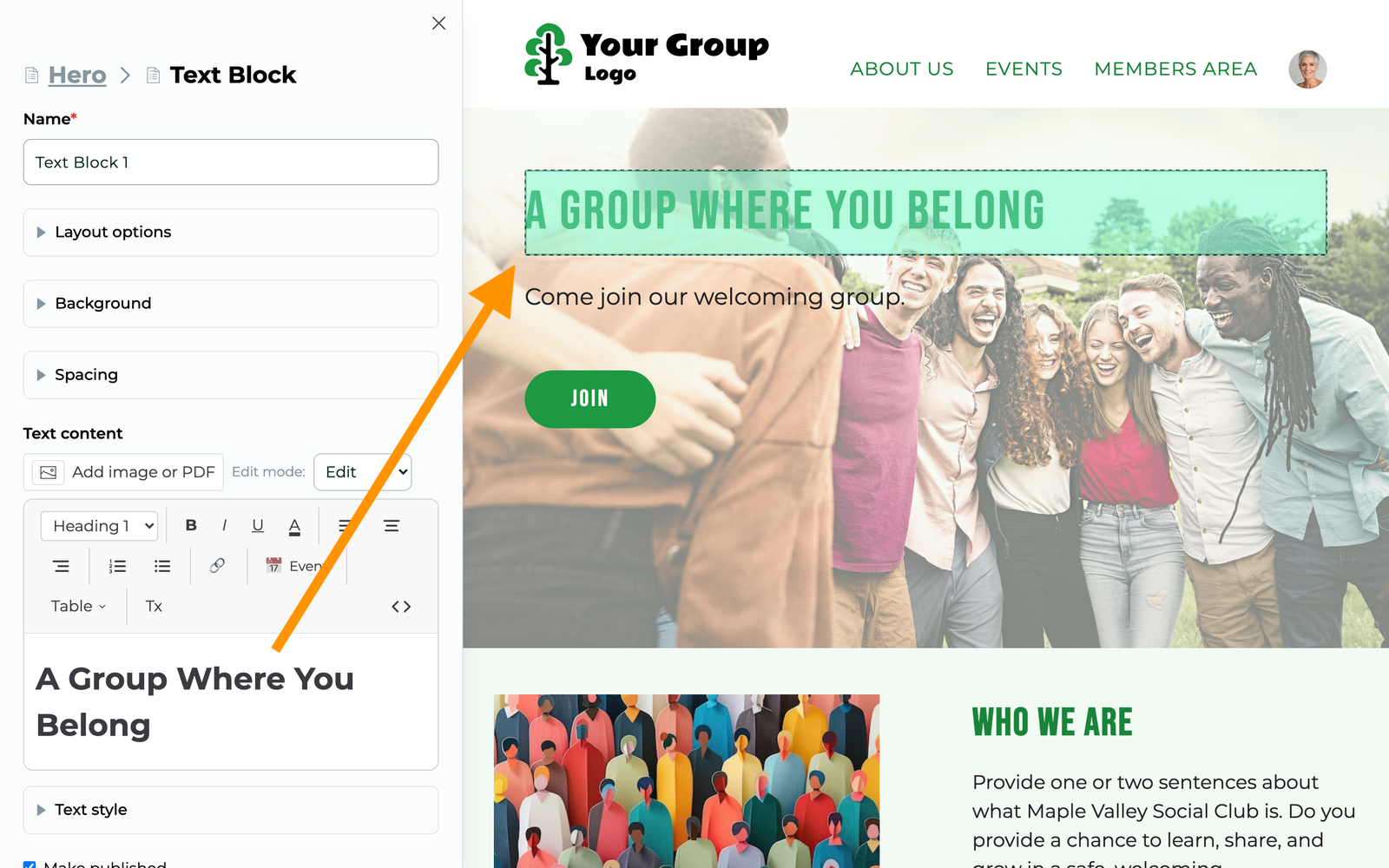
Building your website is now more intuitive. Edit directly on the page and see your changes as you make them. Select any element to open its settings in a sidebar, with the element outlined so you know exactly what you're changing.
- Drag and drop elements to build and rearrange your pages
- Preview changes instantly before saving
- Clone pages or elements to reuse existing designs
- Publish or unpublish individual elements and posts
- Customize page headers with a shared header or one unique to the page
GroupFlow also warns you before leaving with unsaved changes.
Found under: Any editable page. Just press "Edit Mode".
🧱 New Website Elements and Layout Controls
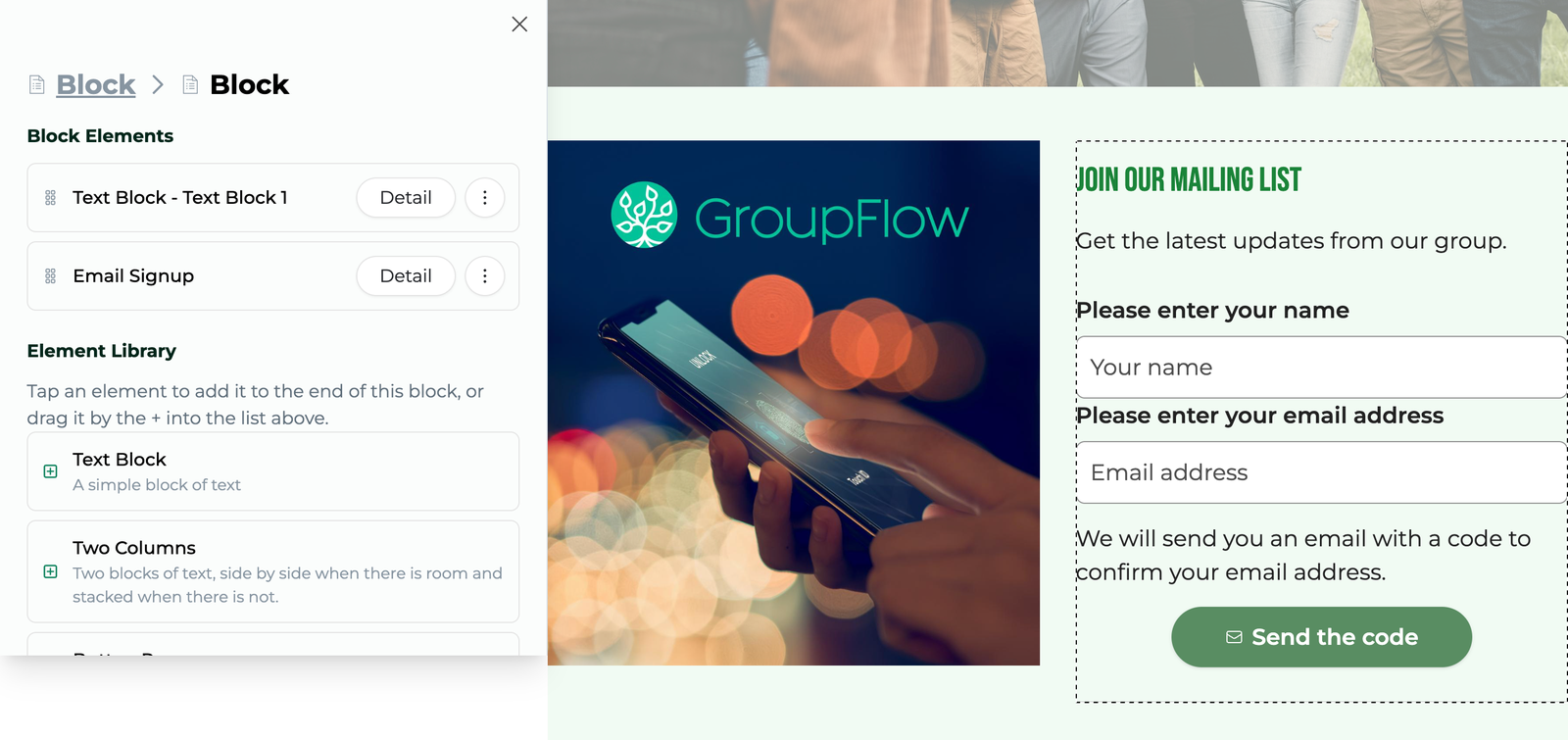
Create more distinctive pages with greater control over layouts, spacing, backgrounds, colors, and individual elements.
New elements:
- Block: Arrange content in rows or 2–8 columns, with optional card styling, rounded corners, and borders
- Email Signup: Add a mailing list signup form anywhere on your website
- Image: Add linked images with custom widths and optional circle cropping
- Separator: Visually divide sections of a page
- Public Events List: Customize its appearance and filter events by tag
Backgrounds: Add images or videos to Heroes, Headers, Blocks, columns, Text blocks, Separators, and footers. Use YouTube or Vimeo videos, with adjustable color overlays.
Spacing and layout:
- Adjust spacing on all four sides of any element
- Set maximum content widths, including a new Narrow option
- Customize column proportions, gaps, equal heights, and mobile stacking
Heroes, headers, and buttons:
- Heroes: Add any elements, control alignment, and set minimum heights for desktop and mobile
- Headers: Customize navigation, logo width, bar height, borders, and dropdown menus
- Buttons: Set individual colors, font sizes, and letter spacing, and align Button Rows
You can also change the color of selected text directly in the text editor.
Found under: Any editable page. Press "Edit Mode", look for the Element Library.
🔤 Fonts and Colors in Design Settings
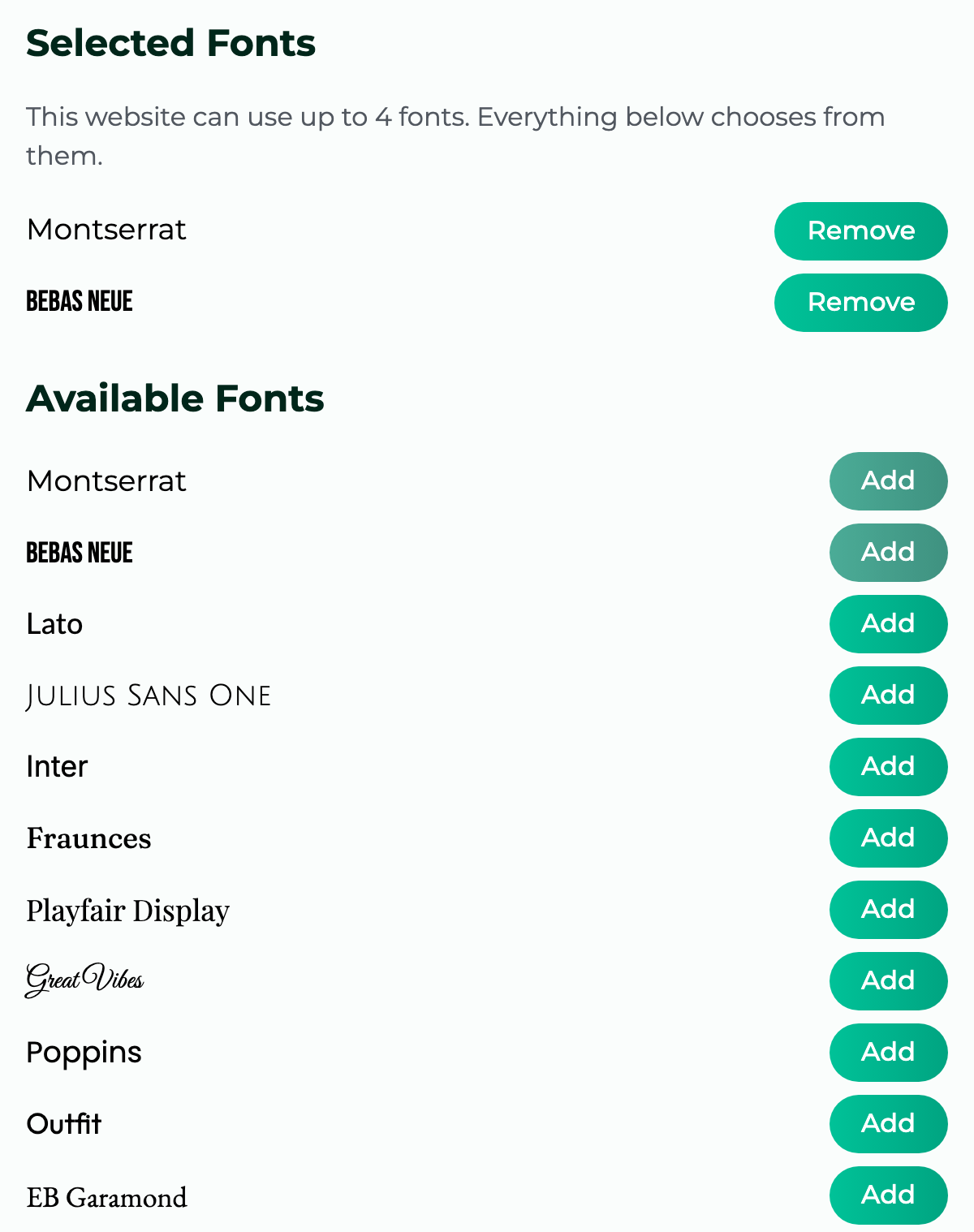
Make your website feel more like your group. Choose fonts from Google Fonts and customize the appearance of headings, body text, navigation, and buttons.
Control font family, size, letter case, and letter spacing. Individual Text blocks can also override these settings, including font weight and separate sizes for phones.
No logo? Display your group's name in the header and footer, using a font of your choice. You can show it alongside your logo or instead of one.
The Colors tab also includes new footer background and text colors.
Found under: Admin Dashboard → Design & Web → Design Settings → Fonts.
📊 The New GroupFlow Dashboard
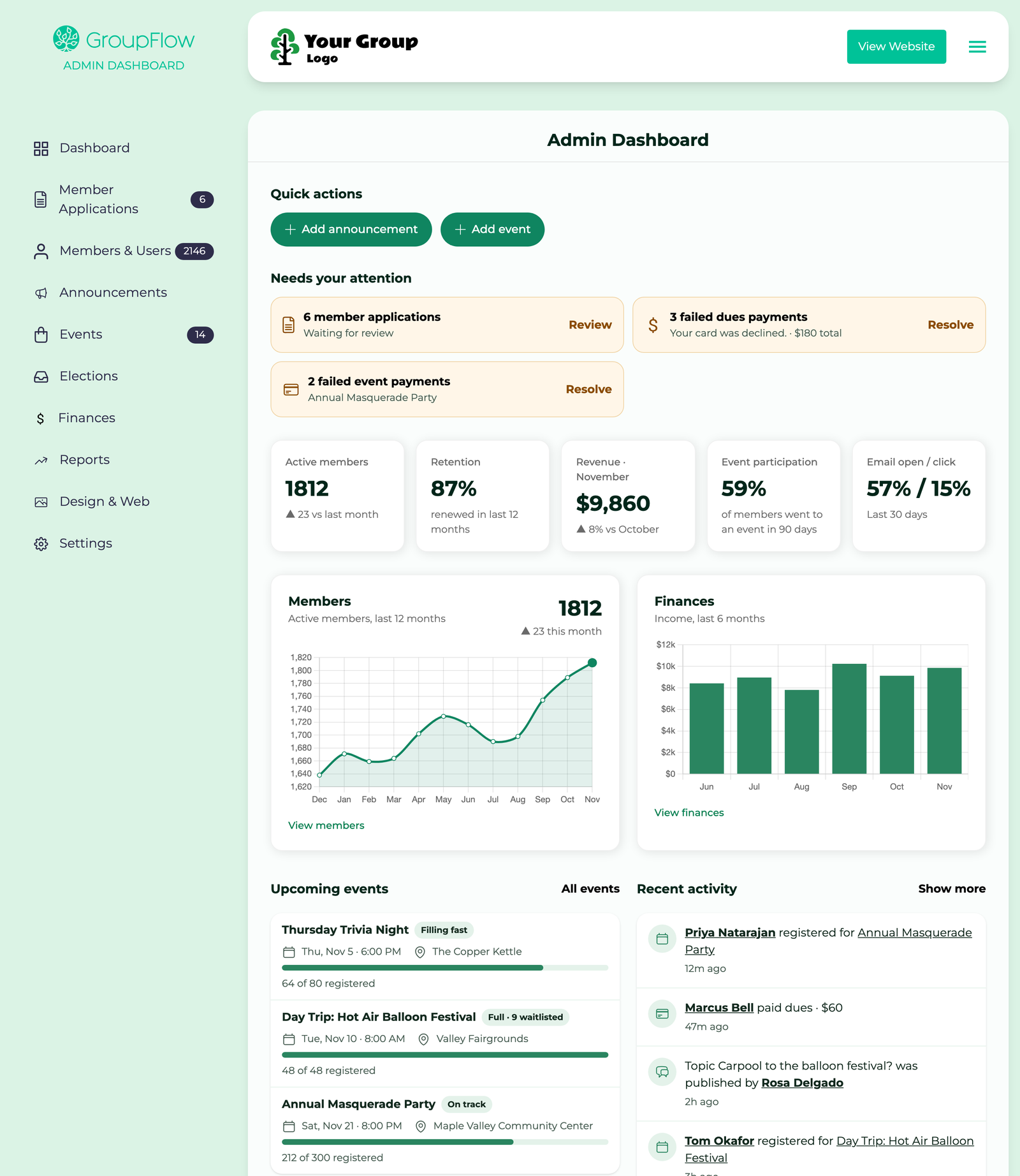
See how your group is doing and what needs your attention, all in one place.
- "Needs your attention": Pending applications, failed dues payments, and failed event payments, with links to take action
- Key numbers: Active members, revenue, email engagement, event participation, and retention
- Trends: Membership over 12 months and income over 6 months
- Upcoming events: Your next three events and how full they are
- Announcement engagement: Open and click rates for recent announcements
- Recent activity: Registrations, cancellations, forum topics, and more, with links to details and a full Activity log
- Quick actions: Create an event or announcement in one click
Each admin sees information relevant to their permissions. The Get Started checklist can be minimized and disappears when complete.
Found under: Admin Dashboard → Dashboard.
👤 A Redesigned Member Page for Admins
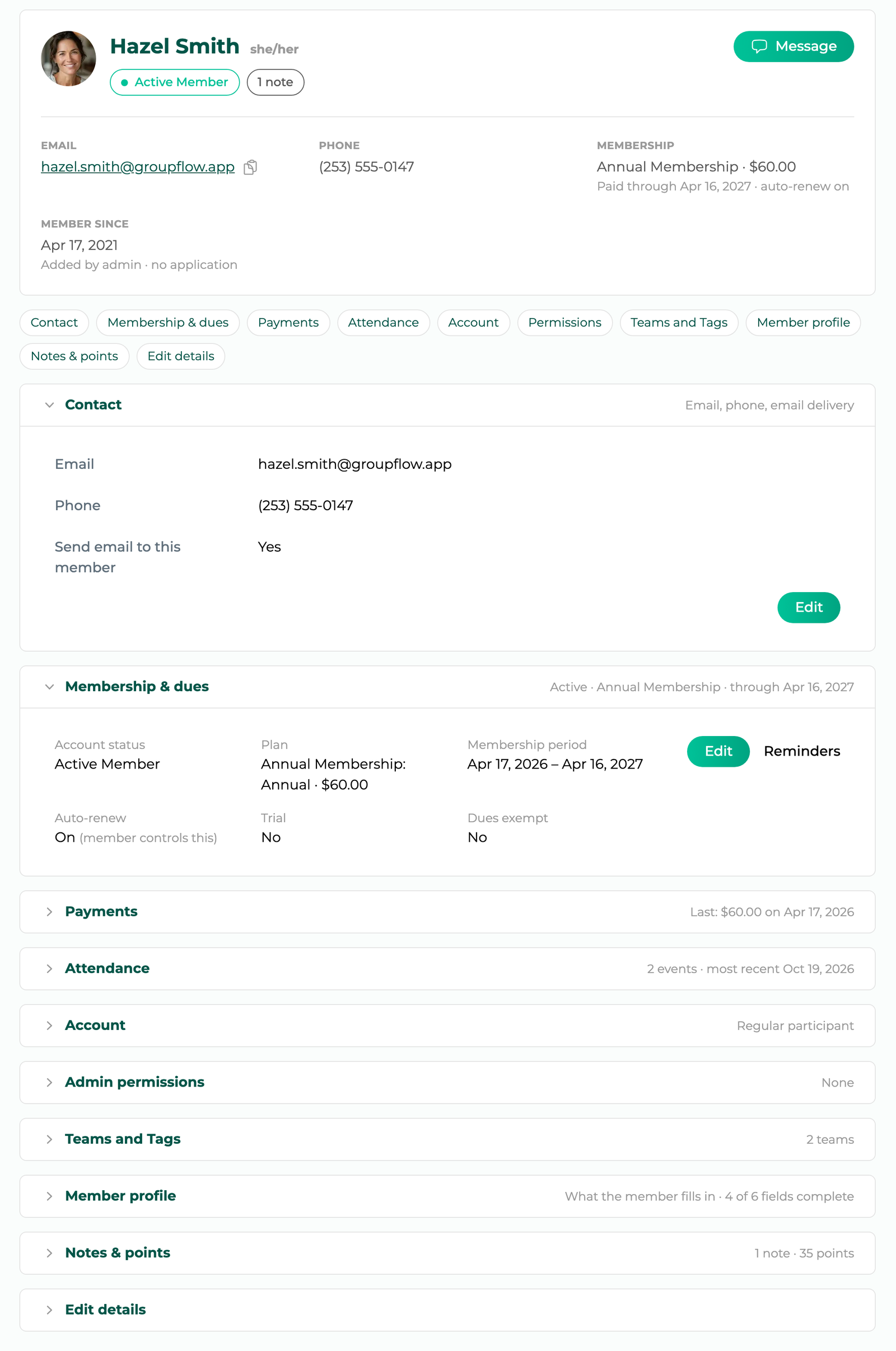
Find everything about a member in one place, without switching between tabs.
The redesigned page has a member summary at the top, including alerts for disabled emails and admin notes. Below it, expandable cards organize:
- Contact, Membership & dues, Account, and Admin permissions, each with its own Edit button
- Teams and Tags
- Attendance, Member profile, and Notes & points, with summaries
- Payments, including what each payment was for
Contact and Membership & dues are expanded by default for quick access.
Found under: Admin Dashboard → Members & Users, then select a member.
🖼️ Photo Galleries for Your Website
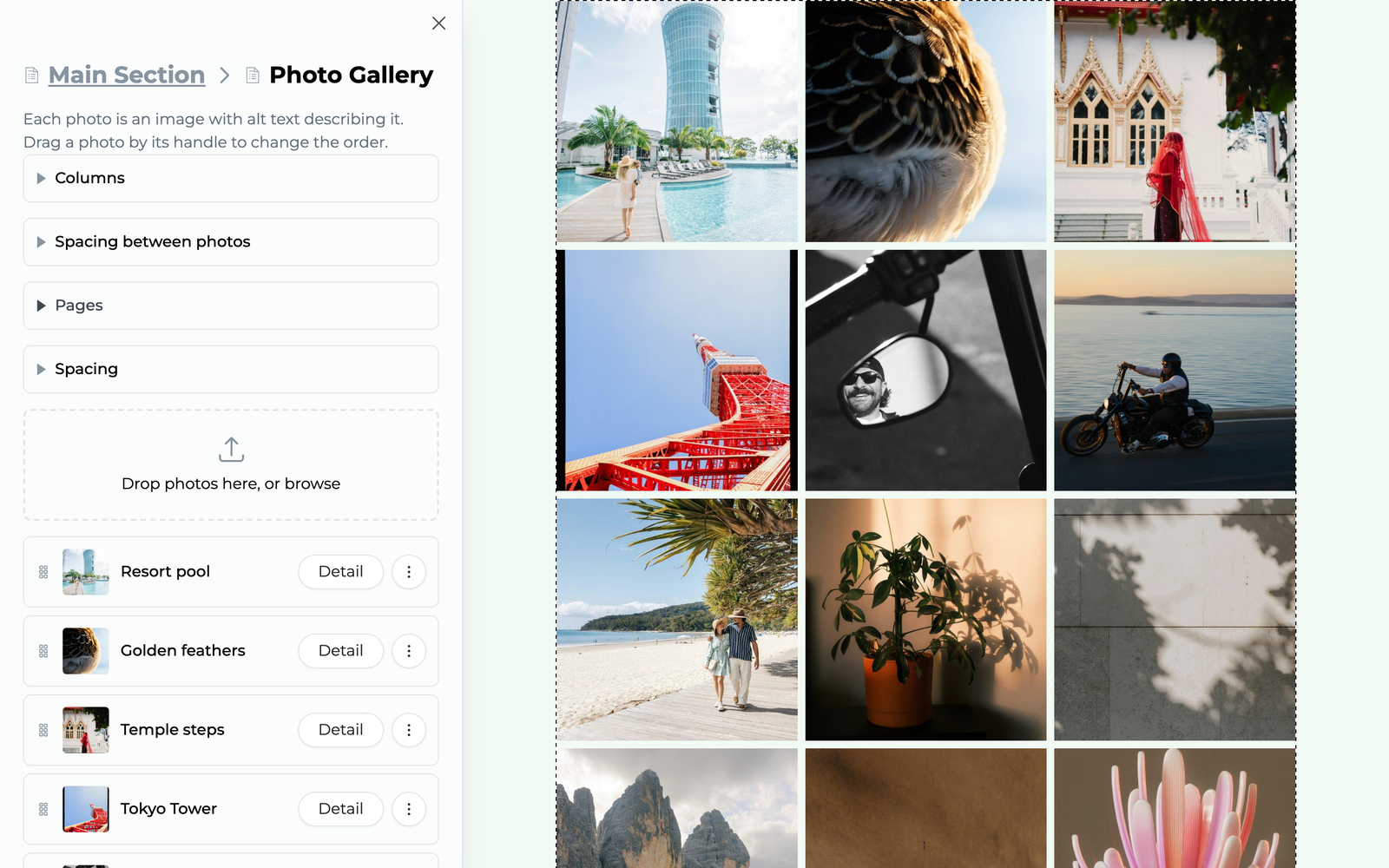
Show off your group's activities with photo galleries that are easy to create and browse.
- Upload multiple photos at once, without arranging each one
- Display up to 200 photos per gallery
- Customize columns, spacing, and photos per page
- Let visitors view full-size photos and navigate with arrow keys or swipes
Event photos now use the same full-size viewer.
Found under: Any editable page. Press "Edit Mode", then add a Photo Gallery from the Element Library.
📣 Re-announce an Event

Need more attendees or want to remind members about an upcoming event?
You can now re-announce an event you've already announced. GroupFlow sends a new email and push notification, worded as a reminder rather than a first announcement. It goes only to members who haven't replied yet, and each event can be re-announced once.
Found under: Admin Dashboard → Events → [your event] → Re-announce.
More Enhancements
Share an Event, With a QR Code
Make events easier to share online or in person. A new Share button lets you copy the event link, use your device's sharing options, or download a QR code for flyers and signs.
The shared link and the QR code are each tagged, so registrations from people who arrive through them are counted separately. You can see whether your flyers or your shared posts are bringing people in, and put your effort where it pays off.
See Where Registrations Come From
Find out which promotions bring people to your events. Event Totals and attendance pages now show registration sources, such as announcement emails, shared links, and QR codes.
Opens and Clicks Over Time
See when members engage with your announcements. Group, event, and attendee announcements now include charts of opens and clicks over time, with date, time, and counts on hover.
Link an Event in Announcements and Web Pages
Help members get straight to event registration. A new Event button in the text editor inserts a linked event title, date, and venue. The announcement editor also warns you when you've mentioned an event without linking to it.
Event Tools Without Leaving the Page
Event Totals, Contact Attendees, and Edit Event now open over your current page, so you can handle tasks without losing your place. These tools are available from event pages, reports, and attendance lists. Admin event cards also have an Actions menu.
Follow Up on Failed Payments
Keep track of money owed before events. A new Failed event payments page lists the member, event, and amount owed. You can also identify unpaid failed dues payments in the members list and see whether attendees were emailed about failed payments.
Found under: Admin Dashboard → Dashboard → Needs your attention.
Refund Dues From the Member's Page
For groups using Stripe, refund dues directly to a member's card from their dues record. The amount defaults to the remaining refundable balance. Recording a refund for bookkeeping only is still available.
Attendee Management Improvements
- Add attendees directly to a waitlist
- See members' join dates, plans, and statuses on attendee cards
- Sort attendance by join date to help with waitlist decisions
- Add outside presenters or venue hosts as staff without GroupFlow accounts
- Mark attendees as payment exempt
- Add notes to bulk attendee actions
- Let waitlisted members update registrations after registration closes
Member Home: Upcoming Events and Side Navigation
Members can now see up to four upcoming events they're attending, staffing, or organizing, or the group's next four events.
On wider screens, Member Home also has customizable side navigation, with icons for each link.
Load More Events
The events pages and the Public Events List on your website now have a Load more button, so members and visitors can reach every event, not just the first page.
A Redesigned Account Page for Members
Members can find and update settings more easily with organized sections and side navigation. Email address changes now support entering or resending confirmation codes directly on the page.
Your Group's Colors Throughout the Members Area
Your group's theme colors now appear throughout calendars, dialogs, forms, menus, buttons, and the text editor. Dark themes also get matching, readable forms and dialogs.
Link, Date and Number Form Fields
Collect more consistent information with new Link, Date, and Number fields in applications, profiles, contact forms, and event registration. Number fields can have minimum and maximum values.
Transfer a Free Ticket
Members who can't attend a free event can now transfer their place to someone else, just like paid tickets.
Import Members From a Spreadsheet
Moving from Meetup or a spreadsheet? Import members from a CSV file, preview the data before saving, and review the results afterward. Any unsuccessful rows can be downloaded, corrected, and imported again.
Found under: Admin Dashboard → Members & Users → Import.
Clone an Announcement
Save time by starting a new announcement from a copy of one you've already sent.
Found under: Admin Dashboard → Announcements.
Reply-To Address for Your Group's Email
Groups sending email from their own domain can now choose any Reply-To address, so replies reach the right inbox without requiring a mailbox at the sending domain.
Found under: Admin Dashboard → Members & Users → Settings.
Billing Email on the Subscription Plans Page
Finance admins can now view and change the billing email address, with code confirmation. Groups on annual plans also receive a reminder one week before renewal.
Found under: Admin Dashboard → Subscription Plans.
One-Click Unsubscribe in Gmail and Yahoo
Gmail and Yahoo now display an Unsubscribe button alongside your group's emails, making it easier for members to opt out of unwanted email types instead of marking them as spam.
Smaller Admin Conveniences
- Clearly labeled Add buttons on Members, Events, Venues, and Elections
- Edit Venue button on the Venues list
- Single checkbox for trial memberships on member dues
- Member dues amount available as a merge field in dues letters