
New Features - September 1, 2026
A batch of new features and enhancements is now available in GroupFlow, giving you a contact form for your website, control over who sees an event's location, and control over your dues reminder letters, plus updates to your forum, event registration, and more.
- A contact form for your website
- Hide an event's address or video link
- Better control of dues reminder letters
✉️ A Contact Form for Your Website
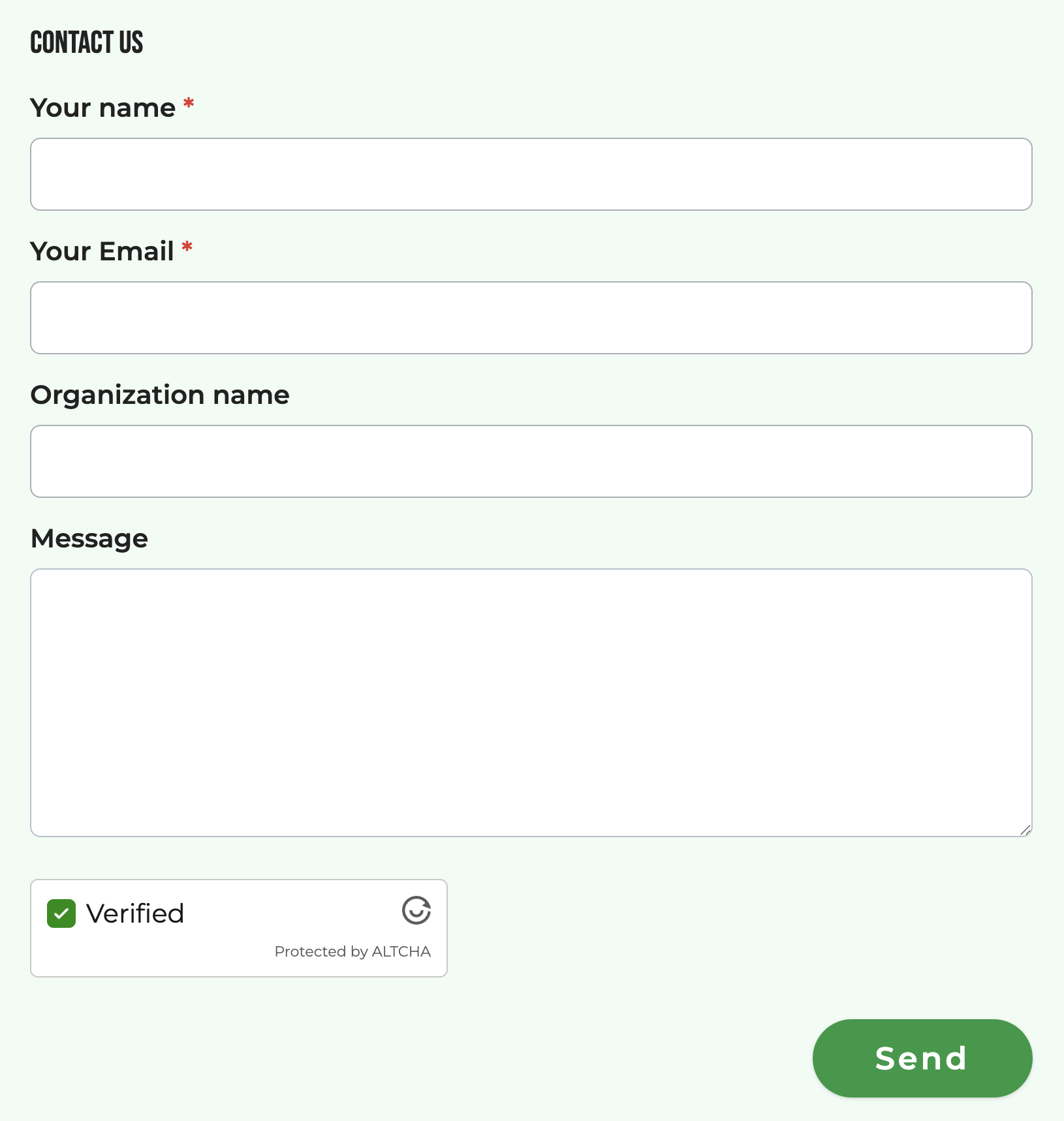
You can now put a contact form on any public page you add to your website, so visitors can reach you without you publishing an email address. Use it for questions from prospective members, interest surveys, reservation requests, volunteer signups, or anything else you would rather collect as a form than as an email.
You get to choose which fields go onto the form, which field types they are, and which order they appear. Make fields optional or required. Submissions are emailed to whoever should handle them:
- A team, to everyone on that team
- A single member, to whoever is responsible for handling the message
The form works for visitors who are not logged in and are not members, which is the whole point of it. Spam protection is built in and takes no effort from your visitors: no puzzles to solve, no traffic lights to click, and it works on your custom domain.
Found under: Admin Dashboard → Design & Web → Web Pages, then add the Contact Form element to a page.
🔒 Hide an Event's Address or Video Link
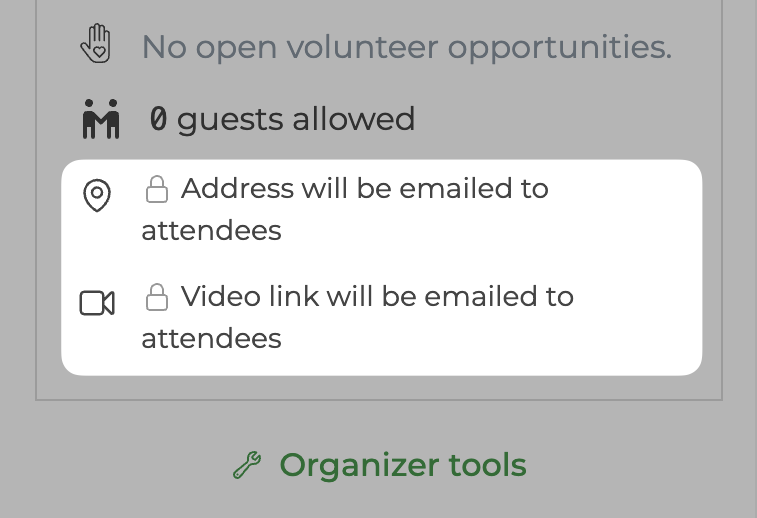
You can now keep an event's street address, arrival notes, or video meeting link off the public event page, and release them to people who register.
This is for the events where the location is the sensitive part:
- A gathering at a member's home
- A venue with a door code or parking instructions you would rather not publish
- A paid online event, where a public video link is a way in without a ticket
Anyone who has already registered still sees the venue and video details on the event page, and so do waitlisted members, your event staff, and anyone with the Events role. The RSVP confirmation email always carries both the address and the video link, so hiding a detail withholds it from people browsing your site, never from your attendees.
The event page now says plainly that a hidden detail will be emailed after registering, instead of showing an empty space where the address should be.
Found under: Admin Dashboard → Events → [your event] → Venue.
💌 Better Control of Dues Reminder Letters
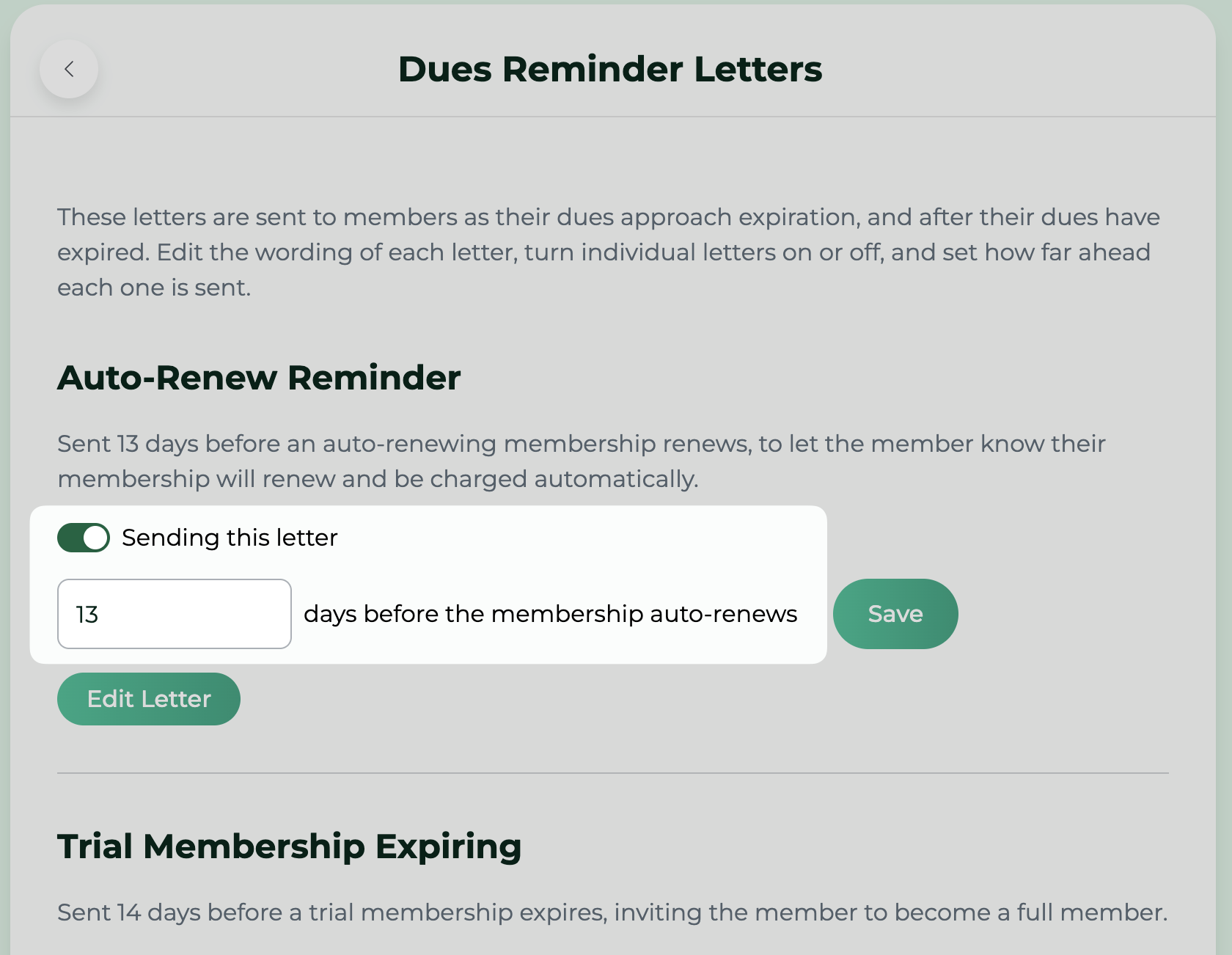
Your dues reminders are how members find out their membership is ending, so when they go out matters as much as what they say. You can now align each letter's timing with how your group actually runs, and manage all six from one screen built for the job.
Each letter has its own section, and editing one shows you the merge fields that letter supports.
You can now turn any individual letter off, and set how many days before or after the due date each one goes out. Every group also now has all six letters, including After Expiration, which some groups were missing.
Found under: Admin Dashboard → Members & Users → Settings → Dues Reminder Letters.
More Enhancements
Forum Digest Email
A twice-weekly email summary of your group's forum activity, sent Wednesday and Sunday at 5 PM in your group's timezone. It covers the topics with recent activity, with reply and like counts and the members who posted, styled to match your group.
Until now, a new forum topic reached almost nobody by email. Moderators got an approval request, the author was told it was approved, and everyone else had to open the forum to find out anything had happened. The digest is how members who read the forum but rarely post hear that a conversation is going on.
Follow a Discussion Without Posting
A "Notify me" button on forum topics and event discussions lets a member get notified about new comments without having to post one first. Previously the only way to follow a conversation was to post to it.
The forum topic list is now ordered by most recent activity, so live conversations are at the top.
Registration Stays Open Through the Event
Registration for an event now closes when the event ends, rather than when it starts. A member who is running late, or who hears about your event while it is happening, can still register and pay.
Unsubscribe From All Email
Members and non-member users who want to stop receiving everything can now do it in one click, offered right when they unsubscribe from a single topic and again on their settings page. The confirmation after unsubscribing now says plainly that it stopped one kind of email rather than all of them.
The subscriptions page also works properly for a member who arrives from an email footer while logged out: no forced login, and every topic is shown rather than half of them.
Duplicate an Event, and Contact Its Attendees
Several additions to the admin event screens: a Duplicate button for copying an event, a Contact Attendees link, attendee counts and attendee photos on your event cards and event summary, an Event Totals link, and a live going-count on the attendance page.
Found under: Admin Dashboard → Events → [your event].
Better Link Previews and Search Results for Events
Every event page now has its own title, description, and preview image when it is shared on social media and other platforms, or when a search engine reads it. Before, every event on your site shared one preview taken from your group's general settings.
Your event pages also describe themselves properly to search engines now, which helps the right people find your events.
Two Columns Page Component
A new Two Columns element for your website pages: two columns of text side by side on a computer, stacked on a phone. Each column is edited in place like any other text.
Found under: Admin Dashboard → Design & Web → Web Pages, in the Element Library.
Confirm Before Publishing an Announcement
Publishing a group announcement sends it immediately by email and by push notification, and it cannot be unsent. It now asks you to confirm first, and shows how many members will receive it along with the statuses, plans, and tags you selected. Members with the Announcements role can also now edit announcement bodies.
Found under: Admin Dashboard → Announcements.
Clearer Payment Failure Messages
When a card is declined, the member now sees what actually went wrong and what they can do about it, shown beneath the card field rather than as a general error at the top of the page. This applies everywhere you take payment: event registration, dues, applications, and adding a card.
Add an Attendee Who Already Declined
You can now add someone as an attendee even if they already replied no or maybe, or were invited and never answered. Their reply changes to yes instead of the add being refused. The form also checks for an existing registration up front, rather than after you have filled the whole thing out.
An Account Menu for Everyone Signed In
Signed-in visitors who are not active members now get the same account menu everyone else has, and no longer see a Login link beside their own photo. The account page tells a prospective member when their application is already under review, and members whose email address has not been confirmed are now prompted to confirm it.
Admin Dashboard Naming and Navigation
"Admin" is now "Admin Dashboard" throughout, and its header uses the same navigation menu as the members area, so moving between the two is consistent.