
Separate Event Staff - June 21, 2026
Hosts and volunteers are now tracked separately from the people attending your events. Until now they were treated as a special kind of attendee, showing up in the attendee list and counting toward your attendance numbers. That has changed.
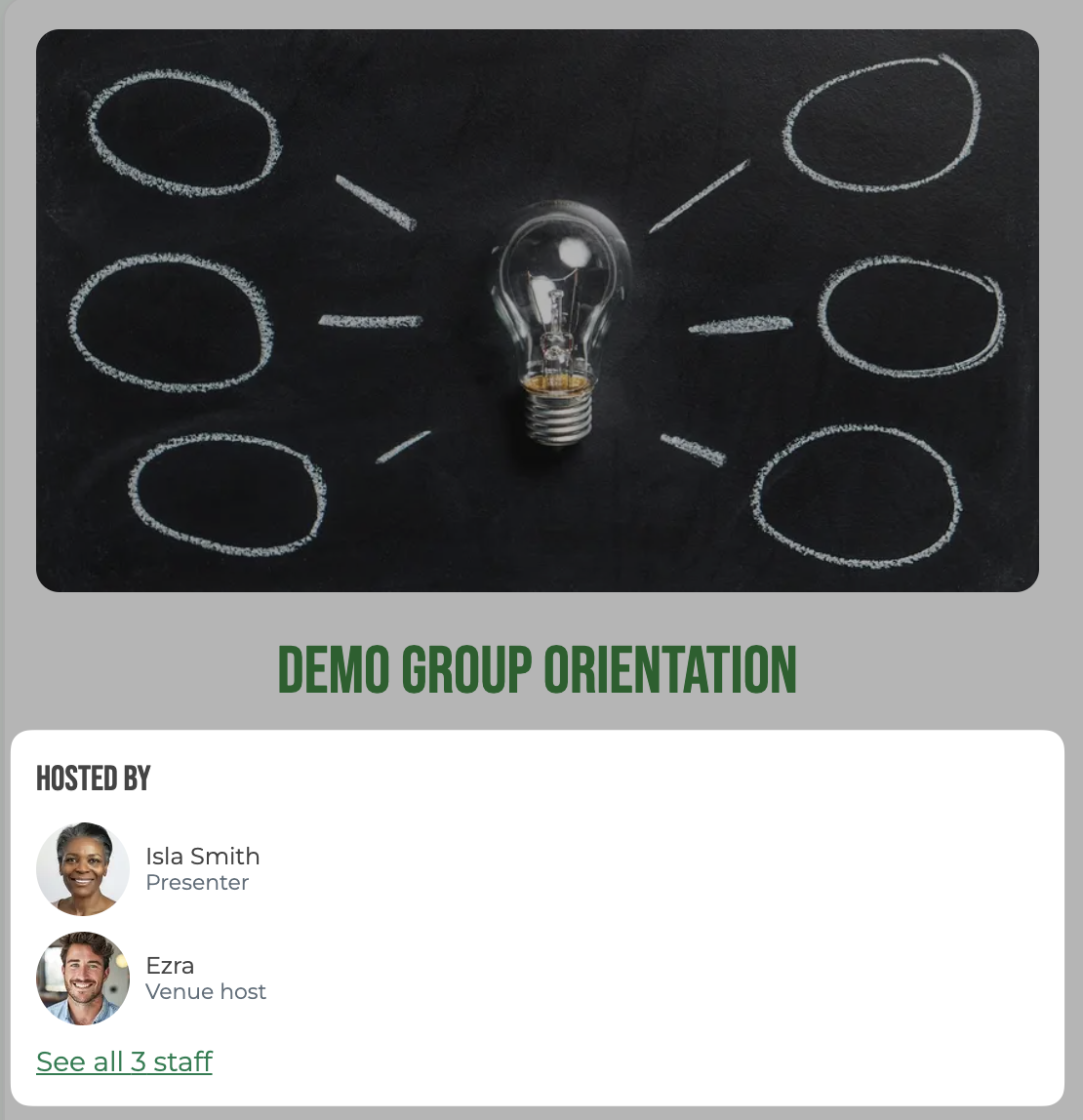
What this means for your group:
- No more confusing attendance counts, since volunteers are no longer counted
- Hosts and volunteers can optionally register as attendees, without restrictions
- Display external presenters, with no member account needed for them
- Track non-member volunteers
- New roles beyond Volunteer and Host: Venue Host, Presenter, and Staff
If your group runs events with volunteers, presenters, or hosts beyond yourself, you will likely find a lot to like here.
Found under: Event → Edit → Staff.
New staff role types
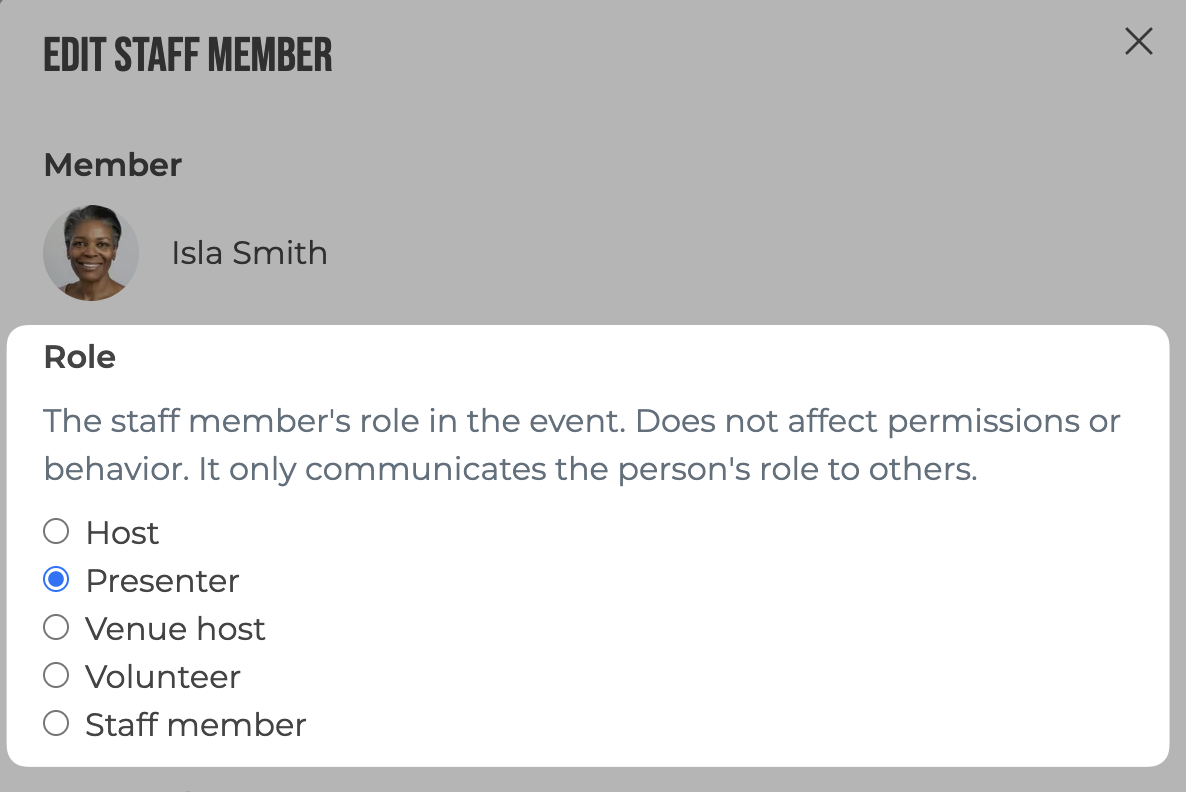
In addition to Host and Volunteer, you can now assign:
- Presenter for speakers, performers, or workshop leaders
- Venue Host for the on-site point of contact at the venue
- Generic Staff for staff roles that don't fit any of the above
The new roles are available on any event, new or existing.
More control over the "Hosted by" list
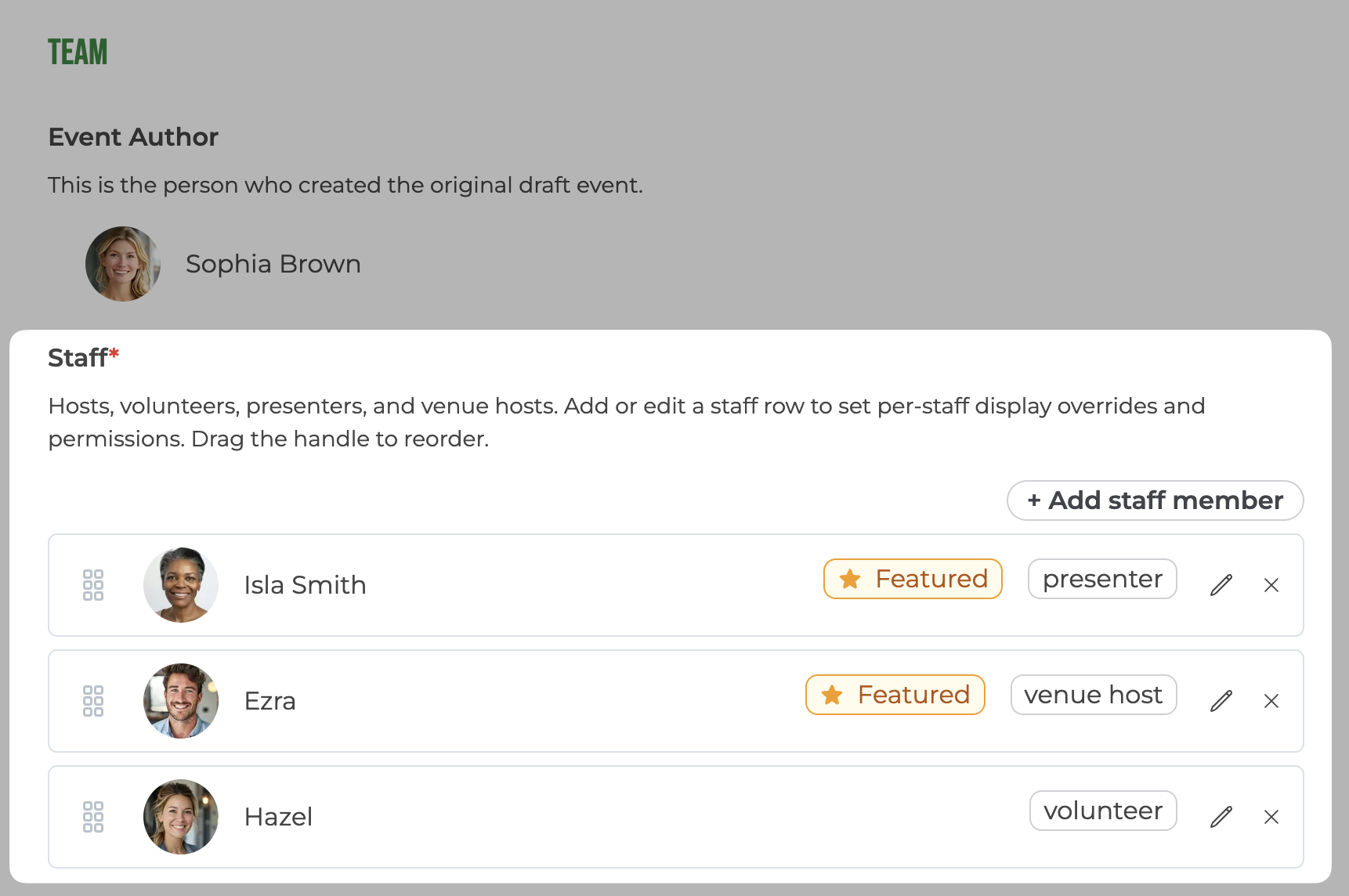
You can now feature exactly who appears in the "Hosted by" block on the event page, regardless of their role. Feature a Presenter at the top of an event page, or keep a Staff member out of the hosts list while still tracking them as staff.
For each featured staff member, you can:
- Feature non-member presenters, such as a guest speaker who isn't in your group
- Choose which order they appear in the list
- Override their displayed name, photo, and bio shown on the event page
- Choose whether non-members and the general public can see the staff member's name, photo, and bio
Override fields default to the member's profile values, so the public list looks correct out of the box.
Found under: Event → Edit → Staff → (a staff entry).
Per-staff permissions and notifications
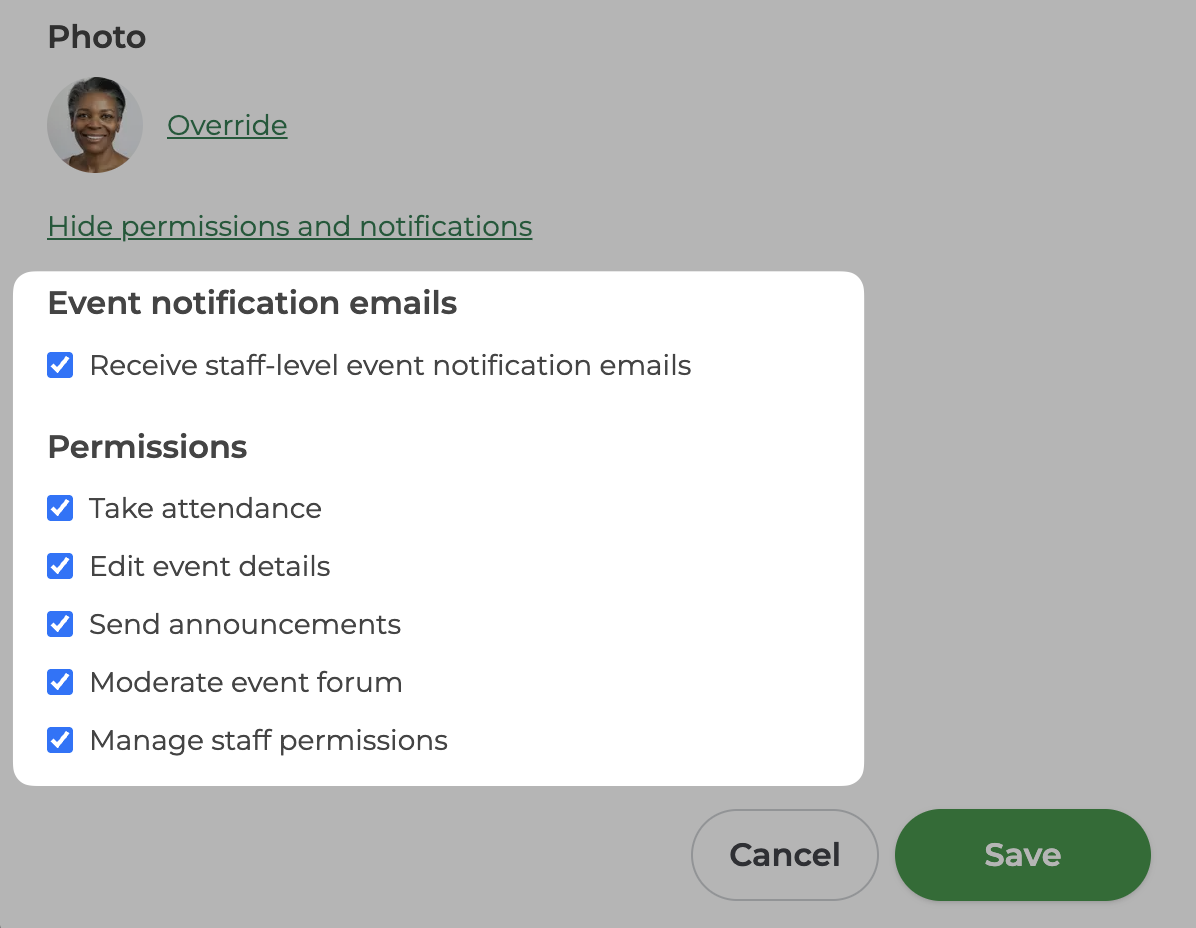
Event admin abilities are now split into individual permissions, assignable per staff member. Each staff entry can be granted, or denied, any of:
- Take attendance
- Send attendee announcements
- Moderate the event discussion forum
- Edit event details
- Manage other staff and their permissions
Alongside the permissions, each staff entry also has an event-notifications toggle. When it is on, which is the default for hosts, that staff member receives staff-related notifications such as waitlist updates and attendee announcements. Volunteers can help run an event without being added to every routine staff email, while hosts continue to stay in the loop.
Found under: Event → Edit → Staff → (a staff entry) → Edit.
Why this matters
For organizers, you get more accurate attendance counts, finer-grained control over what your staff can do, and a cleaner, more flexible "Hosted by" list.
For staff, they can register as an attendee on events they're working, bring a guest, or skip the attendee list entirely, while still being listed as staff.
What changes for your existing events
Existing hosts and volunteers have been moved into the new staff list automatically. They keep their role, and hosts continue to appear on the event page. The one subtle behavior change worth knowing about: hosts and volunteers who had never self-registered will drop off the attendee list. They can be added back to the attendee list if desired.